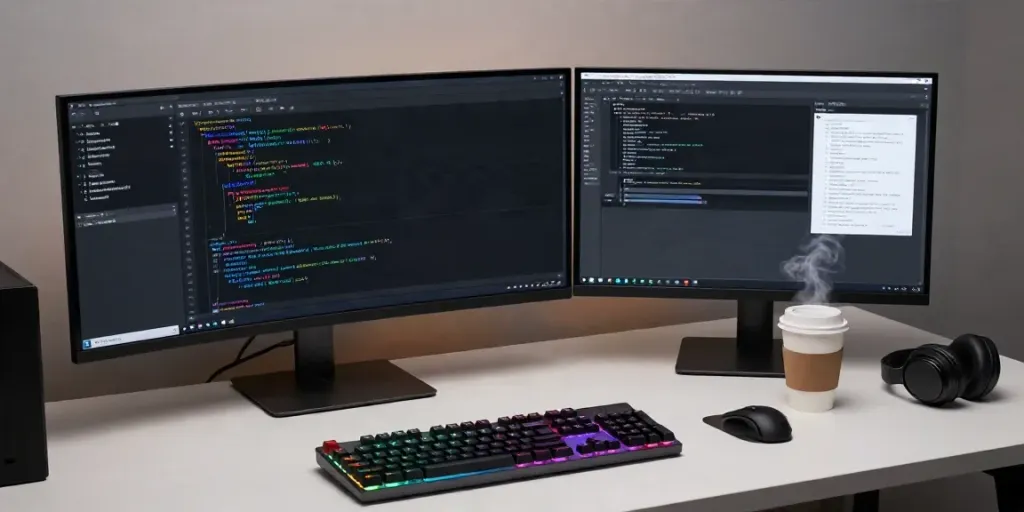
Understanding Notepad and Its Role in Modern Development
The development landscape has significantly evolved over the years, yet the simplicity and efficiency of text editors, such as Notepad, remain pivotal in many programming environments. Notepad is cherished by developers for its no-frills approach, enabling quick note-taking and basic coding tasks without the distractions posed by more complex Integrated Development Environments (IDEs). While traditional Notepad serves basic text editing needs, tools like Notepad++ offer advanced features while retaining a user-friendly interface. When exploring options, notepad applications can provide comprehensive insights into features, customizations, and advanced functionalities necessary for modern development.
What is Notepad and How Does It Differ From Other Editors?
Notepad is a basic text editor included with Windows operating systems, primarily used for editing plain text files. Its minimalist design allows users to create and edit text documents easily. Contrary to more sophisticated text editors and IDEs, Notepad lacks features such as syntax highlighting, code folding, and debugging tools. However, this simplicity can be an advantage, as it offers an uncomplicated environment for quick edits and notes.
In contrast, Notepad++ is an advanced source code editor that supports multiple languages and offers numerous features designed specifically for programmers. It enables not just text editing but also code development, making it an essential tool in a developer’s toolkit. The increased functionality of Notepad++ positions it as a more suitable option for extensive coding tasks.
The Benefits of Using Notepad++ for Software Development
Notepad++ significantly enhances the coding experience with its plethora of features designed for developers. Some of the key benefits include:
- Free and Open Source: Notepad++ is completely free, making it an accessible tool for developers at any level.
- User-Friendly Interface: The interface is intuitive and easy to navigate, allowing new users to quickly get up to speed.
- Extensive Language Support: With support for over 90 programming languages, Notepad++ caters to a diverse range of coding needs.
- Customization: It offers various themes and plugins, allowing users to tailor their workspace according to personal preferences.
Key Features of Notepad Relevant for Programmers
Notepad++ is equipped with multiple features that significantly aid developers in their tasks. These include:
- Syntax Highlighting: This feature helps in differentiating between various syntactical elements of the code, making it easier to read and analyze.
- Code Folding: Developers can collapse sections of code, allowing for a more organized and navigable workspace.
- Multi-Document Support: Users can work on several documents simultaneously with tabbed navigation, enhancing productivity.
Core Editing Tools in Notepad++
How Syntax Highlighting Improves Code Readability
Syntax highlighting is one of the standout features of Notepad++. It employs different colors and fonts to display various elements of code, which not only makes the code visually appealing but also significantly enhances readability. By distinguishing between keywords, variables, and other syntax elements, developers can quickly identify errors and understand the structure of their code without extensive searching.
Utilizing Code Folding for Efficient Navigation
Code folding allows programmers to hide sections of code that are not currently needed. This is particularly useful in large files where only certain parts of the code require immediate attention. By collapsing functions or sections, developers can focus on specific areas without the distraction of extraneous code, leading to better concentration and efficiency.
Multi-Document View: Working with Multiple Files Simultaneously
The ability to work with multiple documents in Notepad++ is a game-changer for many developers. Each open file appears on a tab, making it easy to switch between different codebases. This feature is especially useful when referencing multiple files, as it allows developers to view and edit concurrently without losing context.
Advanced Features of Notepad++ for Developers
Leveraging Regular Expressions for Powerful Search and Replace
One of the most powerful features within Notepad++ is its support for regular expressions (regex) in the search and replace functionality. Regular expressions enable developers to search for complex patterns, allowing for efficient bulk modifications across large code files. This capability is invaluable for tasks such as renaming variables or updating function definitions across multiple lines of code.
Exploring the Plugin Manager for Enhanced Functionality
Notepad++ comes equipped with a built-in Plugin Manager, allowing users to easily enhance their editor's functionality. Users can browse and install plugins that add different features, such as file comparison tools, FTP file management, and additional language support. This modular approach empowers users to customize their editors according to specific project needs.
Using Macros for Increased Productivity in Text Editing
Macros in Notepad++ enable users to automate repetitive tasks by recording a sequence of commands and then playing them back when needed. This can be particularly helpful for tasks like formatting code or inserting frequently-used text snippets, saving valuable time and reducing the likelihood of human error in repetitive tasks.
Customizing Your Notepad++ Experience
Achieving the Perfect Theme for Visual Comfort
Notepad++ offers a range of themes, allowing users to set a visual style that suits their preferences. Whether you prefer a light or dark theme, customization can greatly enhance coding comfort, especially during long coding sessions. Changing themes is a straightforward process through the Style Configurator within the settings menu.
Setting Up Dark Mode for Late Night Coding Sessions
For developers who often code late into the night, using dark mode can reduce eye strain caused by bright screens. Notepad++ provides a dark mode option which, when combined with darker themes, makes coding less strenuous on the eyes in low-light conditions. This feature is particularly appreciated by users who spend extensive hours in front of their screens.
Customizing Language Settings for Diverse Programming Needs
Notepad++ accommodates a multitude of programming languages, and users can customize settings to suit their specific coding needs. By defining user languages, developers can introduce new syntax highlighting for less common programming languages, ensuring a tailored coding experience that meets all project requirements.
When and Why to Use Notepad++ Over Other Editors
Common Scenarios Where Notepad++ Excels
Notepad++ shines in numerous situations. It is optimal for quick edits, writing scripts, and even full application development for various programming languages. When working on smaller projects or when quick modifications are needed, Notepad++ proves to be more efficient than heavier IDEs, allowing for speedier development without the bloat.
Best Practices for New Users Transitioning to Notepad++
For users new to Notepad++, familiarizing oneself with the available features is crucial. Begin by customizing the interface to improve comfort and productivity, explore the use of syntax highlighting and code folding, and take advantage of the vast library of plugins available. Learning shortcuts for frequently used functions can also dramatically improve efficiency.
Future Trends in Code Editing Software for 2026 and Beyond
As programming evolves, so too does the need for advanced text editors. The future of code editing software will likely see more integrations with cloud services, enhanced collaborative features, and improved AI-assisted coding capabilities. Notepad++ continues to evolve, and its open-source nature is sure to foster community-driven innovations that will keep it relevant in a rapidly changing development landscape.
What are the main advantages of using Notepad++?
Notepad++ presents multiple advantages, including its free access, extensive language support, and the ability to customize the editor to fit users' unique requirements. Its robust features make it a formidable choice for both novice and experienced developers.
How can I customize themes in Notepad++?
Customizing themes in Notepad++ is achieved through the Style Configurator located in the settings menu. Users can choose from pre-defined themes or create their own to match their aesthetic preferences, ensuring a pleasant coding environment.
Is Notepad++ suitable for beginners?
Yes, Notepad++ is highly suitable for beginners due to its user-friendly interface and straightforward functionality. New users can quickly learn the essential features, making it an excellent starting point for those new to coding.
What languages are supported in Notepad++?
Notepad++ supports a wide array of programming languages, including but not limited to C, C++, Java, Python, JavaScript, HTML, CSS, PHP, SQL, and XML. It also allows for user-defined languages, providing flexibility for developers working with less common languages.
Can I use plugins in Notepad++ for added features?
Absolutely! Notepad++ includes a built-in Plugin Manager, enabling users to install various plugins that extend the editor's capabilities, adding functionalities such as version control, additional syntax highlighting, and enhanced project management tools.